## **What is resource-based authorization?** Resource-based authorization means controlling access at the level of individual resources, such as a specific record, document, or data object, rather than solely by a user’s role. In other words, the decision to allow an action depends on attributes or properties of the resource itself. For example, you might allow editing a document only if the current user is the document’s author. Or you might permit viewing a customer’s details only if certain conditions about that customer (the resource) are met, like requiring extra permission to view records of a minor. This approach often requires loading or identifying the resource first, then checking whether the action should be allowed given that specific resource’s data. Because it evaluates contextual details at runtime, resource-based checks are sometimes called “imperative authorization” in contrast to simple declarative role annotations. The key idea is that *who* can do *what* is determined by *which resource* is involved and its characteristics. By focusing on the resource, this model enables [fine-grained access control](https://www.cerbos.dev/blog/what-is-fine-grained-authorization). Rather than granting broad permissions, you enforce rules like “users can only delete accounts that belong to their department” or “only an account owner or an admin can view a financial record.” These policies consider the resource’s attributes (e.g. its owner, type, sensitivity) before allowing actions. It’s a level of granularity that pure role-based schemes can’t easily achieve, ensuring each operation is authorized in the right context. In practice, resource-based authorization often works alongside other models \- for instance, a user might need a certain role *and* be the resource owner to perform an action. Now, let’s look at why resource-based authorization is beneficial and how it compares to other authorization models.
## **Benefits of resource-based authorization** Adopting resource-based authorization brings several important benefits for technical teams and their organizations. 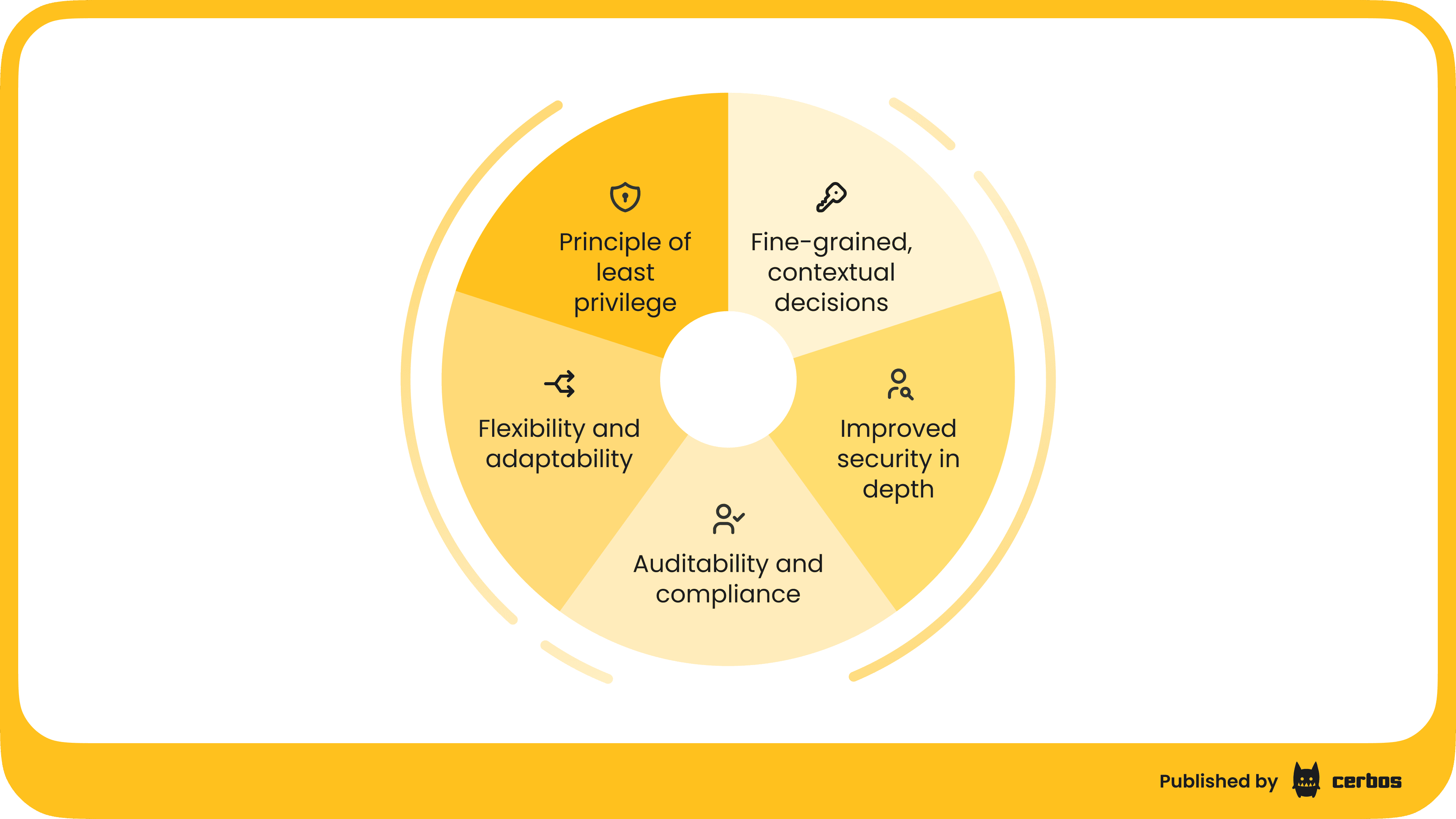 ### Principle of least privilege It enforces a true [least-privilege](https://www.cerbos.dev/blog/how-to-prevent-broken-access-control#:~:text=3%3A%20Practice%20the%20least%20privilege%20principle) model by granting access only to the specific resources a user should handle; no more blanket permissions. A user gets exactly the rights needed on each object. For example, instead of making someone a “customer manager” with access to all customer records, you can allow them to view only their assigned customers’ records. This minimizes the risk of unauthorized data exposure. ### Fine-grained and contextual decisions Because decisions can incorporate resource attributes and context, you can express rich policies. You might allow editing a file only if it’s in a *Draft* state, or allow transferring funds from an account only if the account balance is above a threshold and the user is the account owner. Such context-aware rules improve security by accounting for situational details that roles alone don’t capture. ### Flexibility and adaptability Resource-based rules can [adapt](https://www.cerbos.dev/features-benefits-and-use-cases/scalability) as your data changes. You don’t need to predefine every role for every scenario. Instead, policies evaluate dynamically: for instance, deleting a user account could have different requirements depending on that account’s status or type (admin vs. regular user). This flexibility means the authorization system can handle evolving requirements, like new resource types or conditions, with less refactoring than a rigid role matrix. ### Improved security in depth By layering resource-specific checks on top of role checks, you add an extra defense layer. Even if roles are misassigned or an account is compromised, the attacker might still be limited by resource-level restrictions. This is one reason broken authorization is consistently a [top web security risk](https://www.cerbos.dev/news/stateless-externalized-authorization-for-scalable-applications#:~:text=Why%20stress%20this%20difference%3F%20Because,built%20for%20the%20task) \- simple role checks often aren’t enough on their own. Resource-based policies help close those gaps by considering *what* is being accessed, not just *who* is accessing. ### Auditability and compliance In regulated industries, it is crucial to show exactly who accessed what and under which conditions. Resource-based authorization makes it easier to log every decision at the object level for [audit trails](https://www.cerbos.dev/features-benefits-and-use-cases/audit-logs). Each access decision can be recorded with details of the resource and policy applied. Modern authorization systems such as Cerbos even [include](https://www.cerbos.dev/blog/staying-compliant#:~:text=systems.%20,issues%20early%2C%20as%20discussed%20earlier) comprehensive decision logging out-of-the-box. This level of detail is invaluable for compliance audits and forensic analysis, as it demonstrates that sensitive data (like patient records or financial transactions) was only accessed according to well defined rules. Moreover, policies themselves can be written in a [human readable](https://www.cerbos.dev/features-benefits-and-use-cases/human-readable-authorization) form for review, like in the instance of Cerbos, helping compliance officers understand the access rules in place. In short, resource-based authorization provides **granular control** and **context awareness** that enhance security and compliance. It empowers teams to precisely [map business rules](https://www.cerbos.dev/blog/mapping-business-requirements-to-authorization-policy) to system behavior, which is a big win when your application grows in complexity.
## **Comparing authorization models. Resource-based vs. role-based vs. attribute-based** To better understand resource-based authorization, let’s see how it stacks up against two other common models: role-based and attribute-based authorization. 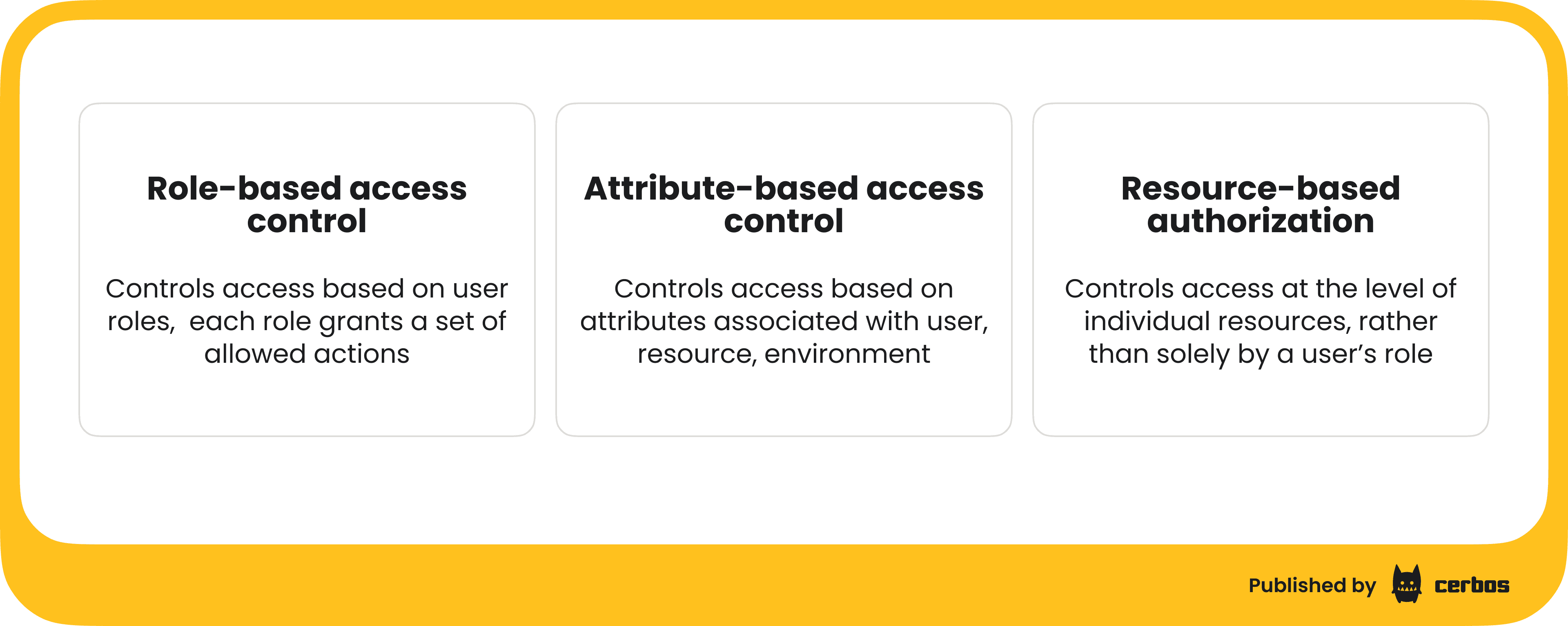 ### Role-based access control (RBAC) This is the classic approach where permissions are tied to roles. Users are assigned roles (e.g. *Admin*, *Editor*, *Viewer*), and each role grants a set of allowed actions. If a user has the required role, the action is permitted. [RBAC](https://www.cerbos.dev/features-benefits-and-use-cases/rbac) is simple and widely used; it is easy to check “does the user have role X?” in code. However, it can be coarse-grained. Everyone with a given role gets the same blanket permissions, which may lead to over-provisioning. As applications grow, RBAC can become inflexible; you might end up creating too many roles to cover various exceptions, or giving a role more power than you’d like just so users can do a specific task. For example, an “admin” role might grant broad access even when the user only needs to manage a subset of resources. RBAC alone doesn’t consider the context or ownership of individual resources. ### Attribute-based access control (ABAC) [ABAC](https://www.cerbos.dev/features-benefits-and-use-cases/abac) grants or denies access based on evaluating attributes associated with the user, resource, and environment. Attributes are key-value properties. For instance, a user’s department, a resource’s sensitivity level, the current time of day, etc. Policies in ABAC are essentially rules that consider these attributes: e.g. “allow action if `user.department == resource.department` and `resource.classification == "public"`. This model is more fine-grained than RBAC because it isn’t limited to predefined roles; it can take into account virtually any piece of information about the user or the resource. ABAC is very powerful and expressive. The trade off is increased complexity: managing many attributes and rules can become challenging as they proliferate. It requires careful policy design to avoid contradictory rules and to keep the system understandable. ### Resource-based authorization In many ways, resource-based authorization is a specific use of attribute-based access control; the attributes in question are primarily those of the resource, and often the relationship between the user and the resource. You can think of it as focusing on **object-specific rules**. For example, instead of a blanket “Editor” role that allows editing any document, a resource-based rule might say “users can edit *only* documents they created, or documents in their team’s folder.” This rule uses attributes like `document.owner` or `document.team` to make decisions. Essentially, it’s ABAC with an emphasis on resource attributes and relationships. The Microsoft ASP.NET Core framework, for instance, distinguishes this by using the term *resource-based (imperative) authorization* when a policy needs to load the resource and examine it at runtime. Resource-based checks often come into play when role checks are too coarse; for instance, you might let “Managers” view reports (role-based), but add a resource rule that they can only view reports from their own region (resource-based). It’s worth noting that modern policy engines unify these models under the hood. With a tool like [Cerbos](https://www.cerbos.dev/), you can implement RBAC, ABAC, and resource-based rules together as needed. You can define roles, but also specify conditions on resources or user attributes in policies; the engine evaluates all relevant factors. In summary, RBAC gives you a straightforward baseline (who has what role), ABAC adds granular attribute-driven rules, and resource-based authorization zooms in on the specific resource and its context. They aren’t mutually exclusive; in fact, they complement each other. A robust authorization system often uses a mix: roles to grant broad permissions, and resource/context rules to fine-tune and restrict those permissions where appropriate. In the next sections we’ll dive into why this matters in real-world scenarios and how to implement such a system effectively.
## **Common use cases for resource-based authorization** ### Microservices and distributed architectures Modern microservices architectures consist of many small services, each handling a portion of your application’s data and functionality. This distributed setup poses a challenge for authorization: how do you enforce consistent access control across dozens or hundreds of services without duplicating logic everywhere? Resource-based authorization is well-suited here, especially when combined with a centralized policy service. By [externalizing authorization](https://www.cerbos.dev/blog/externalized-authorization-management-eam-and-benefits) checks into a dedicated service or library, each microservice can ask “Is this user allowed to do X on resource Y?” and get a quick decision. This avoids baking complex permission logic into each service. It also prevents the drift that occurs when different teams implement authorization in different ways. A central policy engine ensures all services follow the same rules and updates are propagated instantly. From a performance and scalability perspective, a purpose-built authorization service like Cerbos can handle these checks with low latency and horizontal scalability. Cerbos is designed to be [stateless](https://www.cerbos.dev/features-benefits-and-use-cases/scalability) and fast, so it can run in a distributed environment and scale without becoming a bottleneck. You might deploy it as a sidecar or a standalone service that all microservices call. This way, microservices remain focused on business logic, delegating the “can user X access resource Y?” question to a trusted service. The result is a more maintainable and secure system: policies are managed in one place, and any microservice that encounters a resource can enforce the correct authorization before proceeding. This is crucial when an action in one service, say, Service A retrieving an order, might need to ensure the user actually owns that order which is managed by another service \- Service B. A resource-based policy can capture that cross-service rule (user’s ID must match order’s customer ID, for example) and Service A simply checks it via the authorization service. In short, resource-based authorization provides a **cohesive security layer** in a fragmented microservices landscape. ### SaaS applications and multi-tenant platforms In multi-tenant SaaS applications, multiple customers (tenants) share the same application instance. Authorization becomes critical to ensure each tenant’s data is [isolated](https://www.cerbos.dev/blog/authorization-challenges-in-a-multitenant-system#:~:text=What%20are%20Multi) and only accessible to its users. Resource-based authorization is an essential tool here. Every piece of data (resource) in a SaaS app often belongs to a tenant, and policies must enforce that users can only act on resources belonging to *their* tenant. For example, if Customer A and Customer B both use your platform, a user from Customer A should never be able to fetch or modify Customer B’s records. Implementing this as a resource check is straightforward: include a tenant identifier on each resource and require that `resource.tenant == user.tenant` for any action. By making tenant ID a resource attribute in the authorization policy, you create a safety net that catches any cross-tenant access attempts, whether intentional or due to a bug. Another common requirement is allowing privileged support or admin roles to cross boundaries safely. For instance, your support staff might need to view a tenant’s data to help troubleshoot issues. Resource-based policies can accommodate this by adding exceptions for certain roles *with additional conditions*. For example, you could allow a support engineer with a special role to impersonate a user or access a tenant’s data *only in read-only mode and with an audit trail*. Those conditions (read-only, or an “access reason” attribute logged) can be encoded in policy. This way, multi-tenant isolation remains robust, but necessary operational access is still possible in a controlled manner. Maintaining authorization logic for multi-tenant systems can be complex, but using a dedicated engine greatly simplifies it. An engine like [Cerbos fully supports multi-tenant](https://www.cerbos.dev/blog/implementing-cerbos-in-a-multitenant-system#:~:text=Cerbos%27%20architecture%20fully%20supports%20multi,relationships%20in%20your%20authorization%20graph) use cases; you can define tenant-scoped policies and even hierarchies of tenants if needed. This means you could have a baseline policy for all customers, and then specific overrides for a particular tenant’s requirements, all while using the same engine. The end result is a SaaS platform with strong isolation, where each resource carries a tenant tag and the authorization layer diligently checks those tags on every request. This instills confidence that one customer’s data cannot leak into another’s experience, a cornerstone for both security and customer trust. ### Regulated industries and compliance-sensitive systems In industries like healthcare, finance, and government, authorization isn’t just a technical concern; it’s a compliance mandate. [Laws and standards](https://www.cerbos.dev/features-benefits-and-use-cases/security-standards) such as HIPAA, GDPR, SOC 2, PCI DSS, and so on, often dictate who is allowed to access certain information and require organizations to prove they enforce those rules. Resource-based authorization aligns naturally with these needs by providing fine-grained control and traceability. You can codify complex regulatory rules as policies. For example: “Only doctors assigned to a patient can view that patient’s medical record, except in emergencies” or “Financial auditors can view transactions above a certain amount but cannot edit them.” These rules depend on resource attributes (patient’s ID linked to doctor’s assignments, transaction amount, etc.) and possibly dynamic context (an emergency override flag). Implementing them through resource-based policies ensures that your system checks all necessary conditions every time an access is attempted, no matter which application component is handling it. A major benefit here is auditability. Every access decision can be logged with details about what was accessed, by whom, and why it was allowed or denied. Audit logs are invaluable for compliance; they create a [trail that shows](https://www.cerbos.dev/features-benefits-and-use-cases/audit-logs#:~:text=Easily%20manage%20and%20review%20all,compliance%20verification%20and%20faster%20debugging) regulators you’re enforcing policies and can alert you to any irregular access attempts. Modern authorization solutions like Cerbos build this in. Cerbos includes audit logging as a core feature to record all authorization activities for accountability and compliance purposes. This transparency is a huge plus in regulated settings: you can demonstrate that, for instance, only the appropriate roles accessed sensitive personal data, and the system would outright prevent unauthorized access by design. Additionally, having a centralized policy system helps with compliance change management; \- when regulations evolve, you can update the policy in one place and have it take effect across the organization, rather than hunting through code in multiple applications. In summary, for regulated industries, resource-based authorization provides the **granularity, control, and visibility** needed to meet strict rules. It helps translate legal requirements into technical rules and proves through logs and policy documents that you’re following those rules; thereby reducing risk of non-compliance.
## **Designing and implementing resource-based authorization** So, how do you go about implementing resource-based authorization in practice? It helps to approach the design step by step, ensuring the solution remains manageable and effective. Here’s a high level walkthrough. 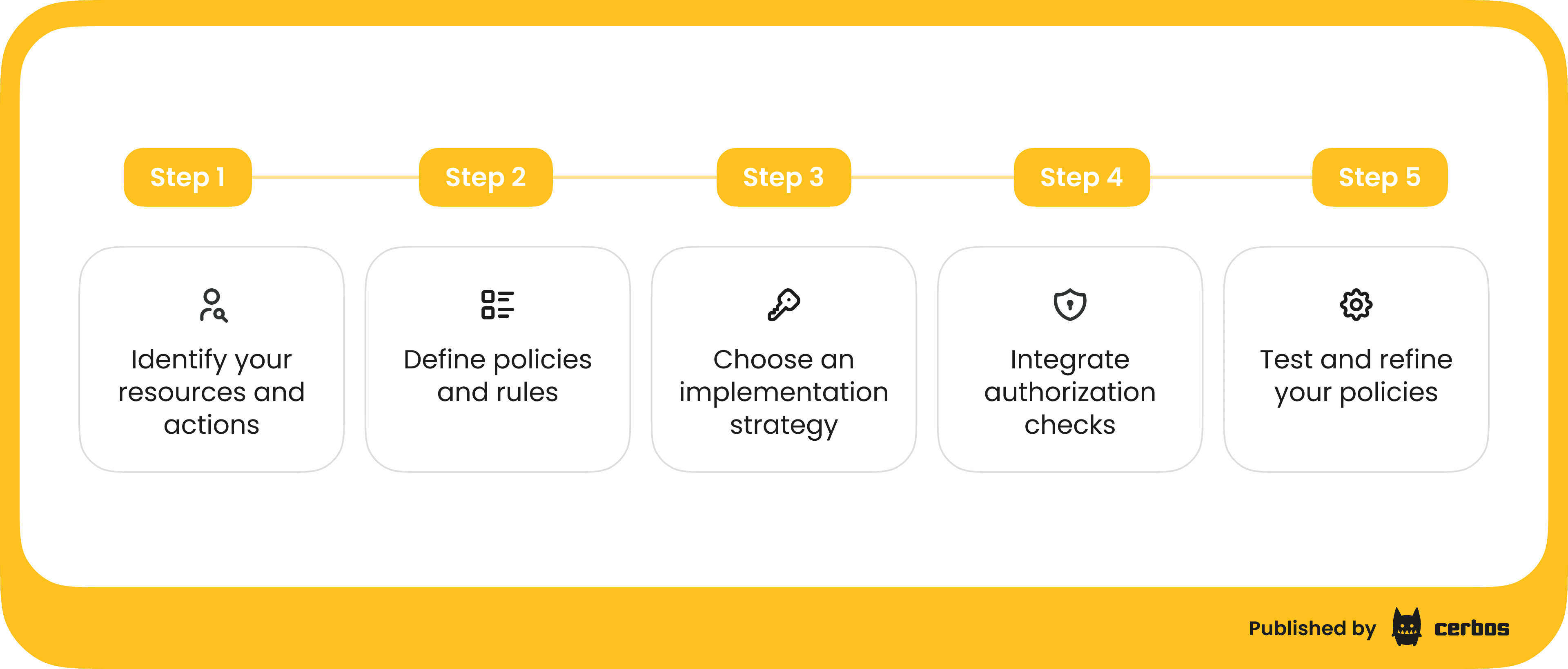 ### 1\. Identify your resources and actions Begin by listing out what [**resources**](https://docs.cerbos.dev/cerbos/latest/tutorial/02_resource-definition.html#:~:text=The%20best%20place%20to%20start,users%20are%20authorized%20to%20access) exist in your system and what actions can be taken on them. A resource is any entity or object in your application that you want to protect (examples: documents, records, accounts, database entries). For each resource type, enumerate the possible actions (read, create, update, delete, share, approve, etc.). This catalog becomes the foundation of your authorization model. It’s akin to defining the domain language of your permissions. For instance, you might have resources like **User**, **Project**, **Invoice** – each with actions like `view`, `edit`, `delete`, etc. Mapping this out not only clarifies what needs securing, but also helps spot commonalities (e.g., many resources have an “owner” concept). ### 2\. Define policies and rules Next, decide **who** can do **what** on each resource, under which conditions. This is the policy design phase. Start with broad strokes (role-based rules) and refine with resource-based specifics. For example, you might say “Project Managers can edit Project resources” (a role-based rule), but refine it with “only if the project’s status is still Open” or “only for projects within their department” (resource-based conditions). Write down these rules in a clear, human-readable format first. You’ll often find patterns \- for instance, rules about ownership: many systems have a general rule that users can view or edit things they own. Identify attributes you’ll need in decisions (like `resource.ownerId`, `resource.tenantId`, `user.role`, `user.clearanceLevel`, etc.). If you’re using a policy language or a configuration format (YAML/JSON) for an authorization engine, you’ll eventually encode these rules there. The key is to think in terms of policy logic rather than code: it’s about defining conditions for access. Many choose to externalize these policies as files separate from application code, which leads us to the next point. > For an in-depth dive into translating business requirements to authorization policy \- [read this blog.](https://www.cerbos.dev/blog/mapping-business-requirements-to-authorization-policy) ### 3\. Choose an implementation strategy \- Hardcoded vs. externalized You have a fundamental design decision: will you implement these checks *within your application code* (sprinkling `if` statements and database queries to verify permissions), or will you use an external policy engine or service? For small applications, it might seem easier to hardcode a few checks. But as requirements grow, in-code logic becomes tangled and error prone. A recommended approach, especially for scalable, microservices, or enterprise systems, is to externalize authorization to a dedicated service or library. Using a policy engine provides multiple advantages: policies are centralized (avoiding inconsistencies across services), easier to maintain, and often written in a declarative way that’s easier to reason about and test. You can update a policy without redeploying your whole application, which is great for agility. It also facilitates versioning and reviewing of policies (treating them like code in a repository). If you opt for an engine like [Cerbos](https://www.cerbos.dev/), you define your policies in YAML/JSON files and the engine evaluates them at runtime, separate from your business logic. This decoupling brings clarity and flexibility to your architecture. ### 4\. Integrate the authorization checks in your system Once you have policies defined, either in code or externalized, integrate checks at appropriate points in your application flow. Typically, this means whenever an action is attempted that modifies or accesses a resource, you call the authorization layer to ask, “Is user X allowed to perform action Y on resource Z?” In a web application, this check might happen in your request handler or controller before executing the core logic of the action. In a microservice, it could happen at the API gateway or individually within each service for its part of the task. If using an external service, integration is usually done via an API call or an SDK provided by that service. For example, with Cerbos you can use its HTTP API or a language-specific client library to [query](https://www.cerbos.dev/blog/implementing-cerbos-in-a-multitenant-system#:~:text=host%20alongside%20your%20other%20application,perform%20a%20task%20they%27ve%20requested) for a decision. Your code provides the user’s attributes, like roles or IDs, and resource attributes, like resource type, owner ID, tenant, etc., to the engine, which then returns “allow” or “deny” and a reason. The application then enforces that decision: proceeding if allowed, or rejecting the action if denied. This step is critical: it’s where the abstract policies become real enforcement. Ensure these checks are placed everywhere they should be; not just on UI actions but also on any backend processes or batch jobs that could access data. ### 5\. Test and refine your policies Treat your authorization rules like any other crucial part of the system; write tests and use sample scenarios to verify they work as intended. If you are using a policy engine, leverage any built-in testing or dry-run features. Cerbos, for instance, allows [writing test cases](https://www.cerbos.dev/features-benefits-and-use-cases/cerbos-playground) for policies and even supports CI/CD integration for policy checks. Create test users with various roles and attributes, and simulate requests on various resources to ensure the outcome matches expectations. It’s far better to catch a policy mistake, like an unintended deny or allow, in a test than to have a legitimate user blocked, or a malicious one allowed, in production. As your application evolves, revisit and update policies accordingly. Perhaps new resource types are added, or new roles introduced. Keep the authorization model in sync with these changes. Periodic reviews are also healthy, especially for compliance: you might do quarterly audits of policies to ensure they still meet business and regulatory requirements. Throughout this implementation process, documentation and clarity are your friends. Clearly document what each policy is supposed to achieve. If you have a larger team, make authorization a visible part of your design discussions: when adding a new feature, decide how its access control will be handled up front. This proactive approach prevents security from becoming an afterthought.
## **Conclusion** Resource-based authorization is a game changer for designing secure, fine-grained access control in modern applications. By considering the context and attributes of each resource, it addresses limitations of simplistic role-based systems and enables the **principle of least privilege** at a granular level. **Cerbos** is a prime example of a tool that makes implementing resource-based authorization easier. It allows the team to author human-readable policies linking users, actions, and resources, and evaluate them via API calls from your application. Teams get built-in support for multi-tenant rules, audit logging for decisions, role/attribute combination logic, and high performance at scale. This lets them implement resource-based authorization in a vendor-neutral yet powerful way, aligning security best practices with business needs. *If you want to dive deeper into implementing and managing authorization, join one of our [engineering demos](https://www.cerbos.dev/workshop) or check out our [in-depth documentation](https://docs.cerbos.dev/cerbos/latest/index.html).* ## FAQ ### What is resource-based authorization? Resource-based authorization is a method of controlling access at the level of individual resources, such as a document, record, or data object, rather than only by user roles. It determines whether a user can perform an action based on the attributes or properties of the resource itself — for example, allowing edits only if the user is the document’s author. This enables fine-grained, context-aware access control that adapts to specific situations. ### How does resource-based authorization differ from role-based access control (RBAC)? Resource-based authorization differs from RBAC by focusing on the resource rather than just the role. While RBAC grants permissions based on predefined roles like Admin or Editor, resource-based authorization checks who owns the resource, its status, and other attributes. It asks, “Should this user perform this action on this specific resource?” providing more granularity and context than RBAC alone. ### How is resource-based authorization related to attribute-based access control (ABAC)? Resource-based authorization is closely related to ABAC but focuses specifically on the attributes of the resource and its relationship to the user. While ABAC evaluates many types of attributes, such as user, resource, and environmental, resource-based authorization emphasizes the resource side. For example, it might enforce that user.id == resource.ownerId, making it a practical and focused version of ABAC. ### What are the benefits of resource-based authorization? The main benefits of resource-based authorization include enforcing the principle of least privilege, enabling fine-grained contextual control, and improving security and compliance. It allows flexible, dynamic policies that adapt to changing data, adds a defense layer beyond role checks, and supports detailed auditing to prove who accessed what and why. ### How does resource-based authorization support compliance and auditability? Resource-based authorization supports compliance and auditability by logging every access decision with full context. Each log records who accessed what, under which conditions, and why the action was allowed or denied. Tools like Cerbos include built-in audit logging, enabling proof of policy enforcement for regulatory and security audits. ### How does Cerbos help implement resource-based authorization? Cerbos helps implement resource-based authorization by allowing you to define human-readable policies that connect users, actions, and resource attributes. Your application queries Cerbos - “Can user X perform action Y on resource Z?”, and receives an allow or deny decision. It supports multi-tenancy, audit logging, and scalability across distributed systems. ### What are best practices for implementing resource-based authorization? Best practices for implementing resource-based authorization include defining a clear resource-action matrix, keeping policies version-controlled, using declarative formats, testing policies regularly, and reviewing them for compliance. These practices improve policy transparency, reduce risk, and make authorization easier to maintain. ### How can I test and validate resource-based authorization policies? You can test and validate resource-based authorization policies by simulating different user roles, attributes, and resource conditions. Tools like Cerbos include policy testing frameworks and CI/CD integration to ensure correct behavior. Testing helps prevent unintended denies or excessive access before deployment.