Deployment checks are now live in Cerbos Hub. Add a check to a deployment, and every new policy build waits for the people you choose to approve it before it reaches the policy decision points (PDPs) serving that environment. Builds still compile and run their tests on every change, and deployments without a check keep going live automatically.
What deployment checks add to Cerbos Hub
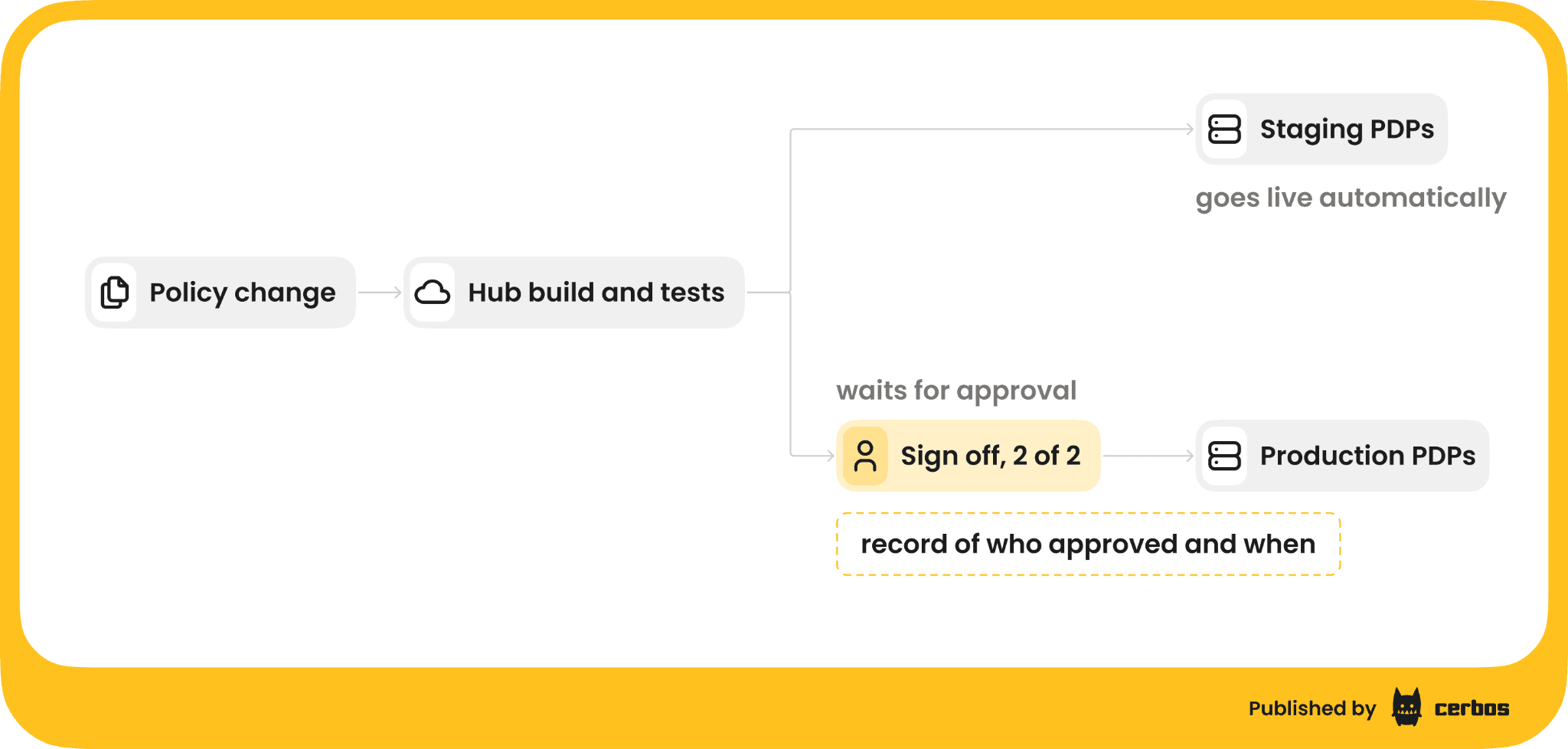
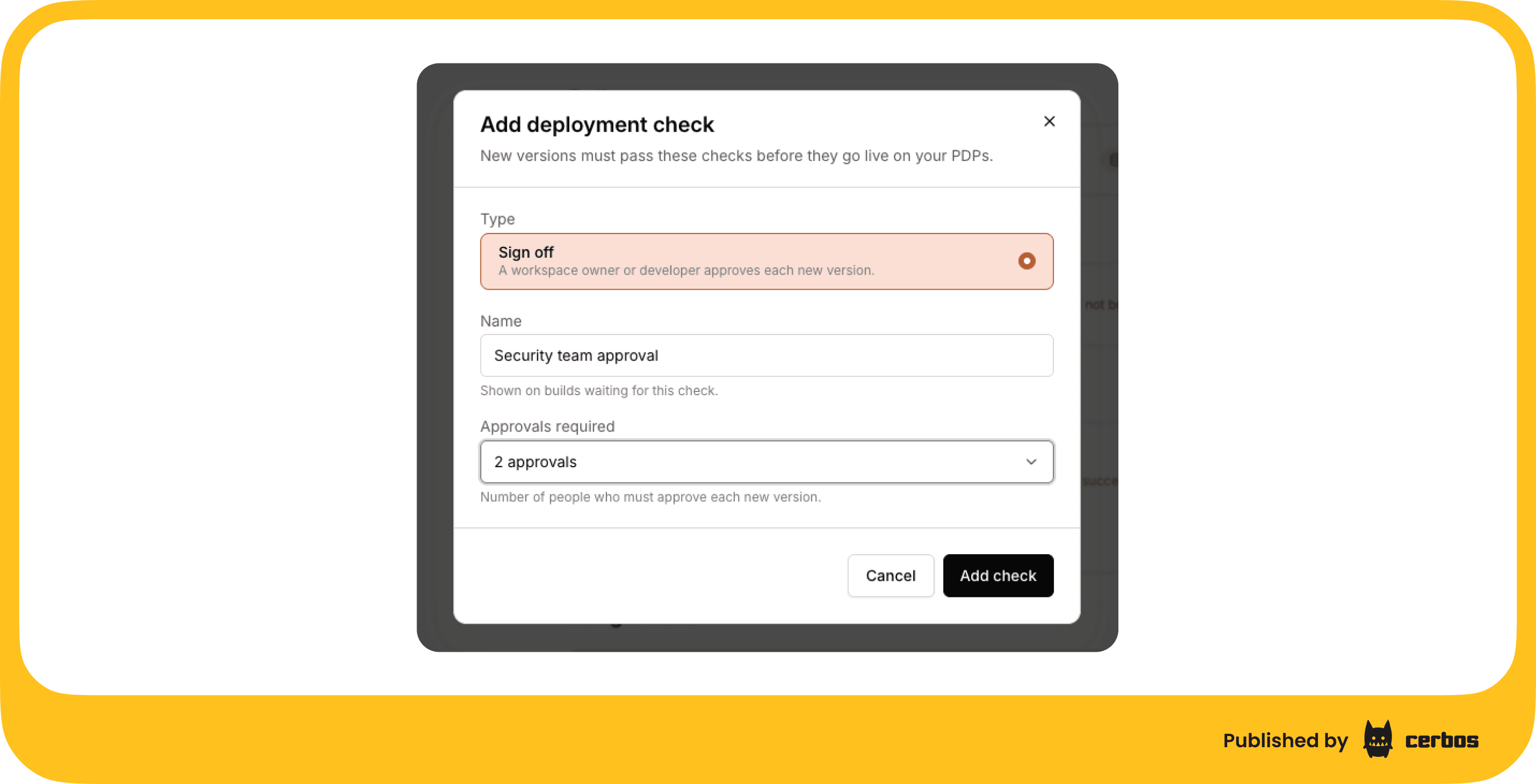
A check is set per deployment. Production can require sign-off while staging, built from the same policy stores, keeps deploying the moment tests pass. Each check is a Sign off check with a name, such as "Security team approval", and a number of approvals required, from one to five different people.
Git reviews the change, and Cerbos Hub approves the release. Pull request review still decides whether a policy change is correct. The deployment check decides whether the complete build should go live in a given environment.
That build can combine several policy stores into one bundle, and it covers stores updated through the API or the Cerbos Hub UI as well as from Git, so the check approves exactly what production will run.
What deployment checks change for the engineers who run Cerbos Hub
Your pipeline stays as it is. Git, pull request review and your policy tests carry on unchanged. Turning on a check is one setting on the deployments that need it, with no pipeline code to write and nothing to change in your application.
When a policy store changes again before a waiting build is approved, the new build replaces it, so approvers only ever see the latest version and there is no queue to clear. Rolling back or promoting a version that has been live before still happens straight away, with no new approval, so going back to a known good version stays a single step.
What deployment checks give security and compliance teams
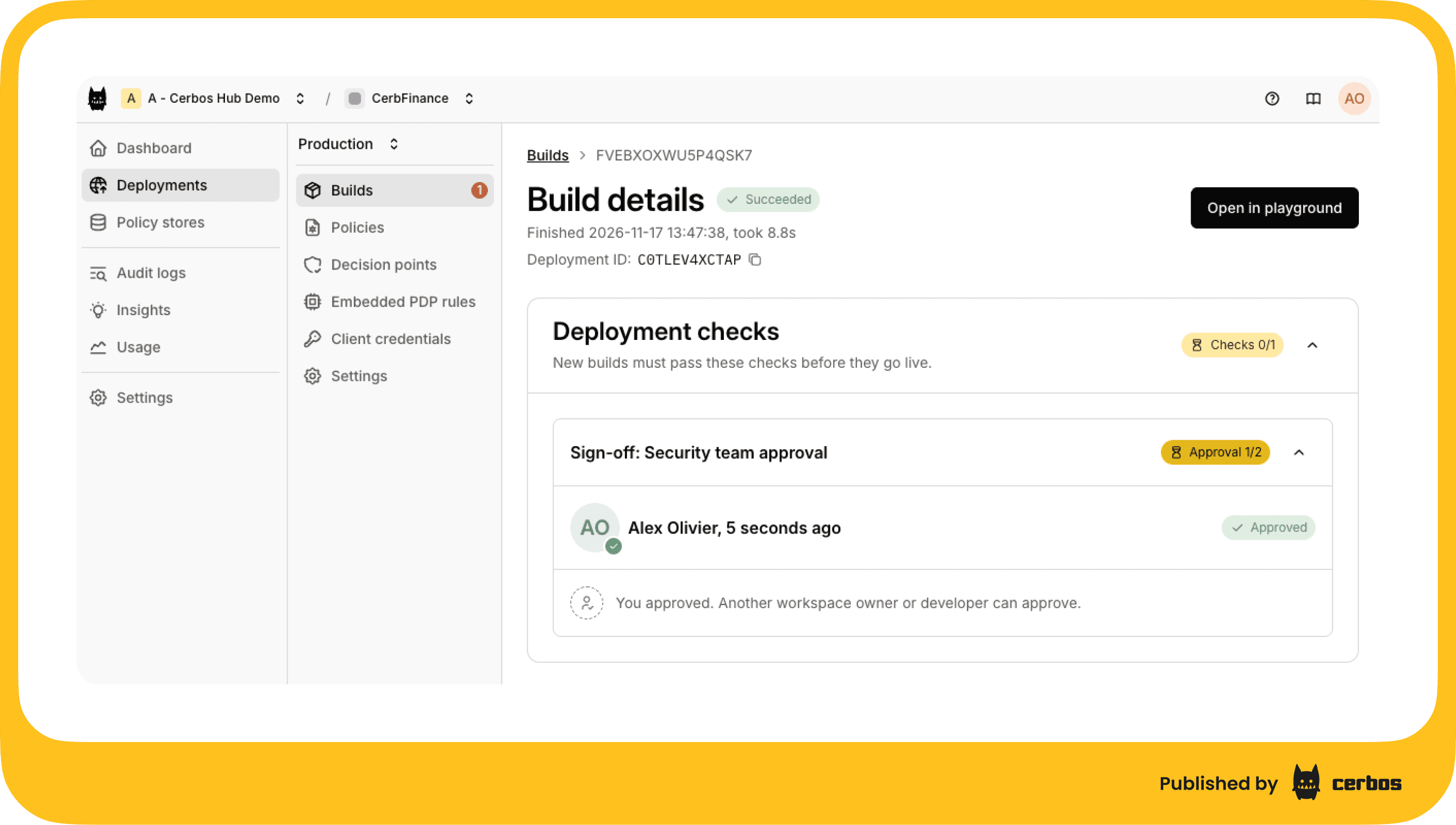
The people you name sign off before a policy change reaches production. They review the build on its details page, including the test results and the bundle contents, and approve it there. Each person can approve a build once, so a check that requires two approvals needs two different people.
Every deployed version keeps a record of the check that applied, who approved it and when, right next to the bundle that went live. When an auditor asks who approved the authorization policy running in production on a given date, the answer is in Cerbos Hub, not in a ticket or a chat thread.
How deployment checks look in Cerbos Hub
You add a check from the deployment's Settings tab. Choose Add check in the Deployment checks section, pick Sign off, give it a name and set Approvals required.
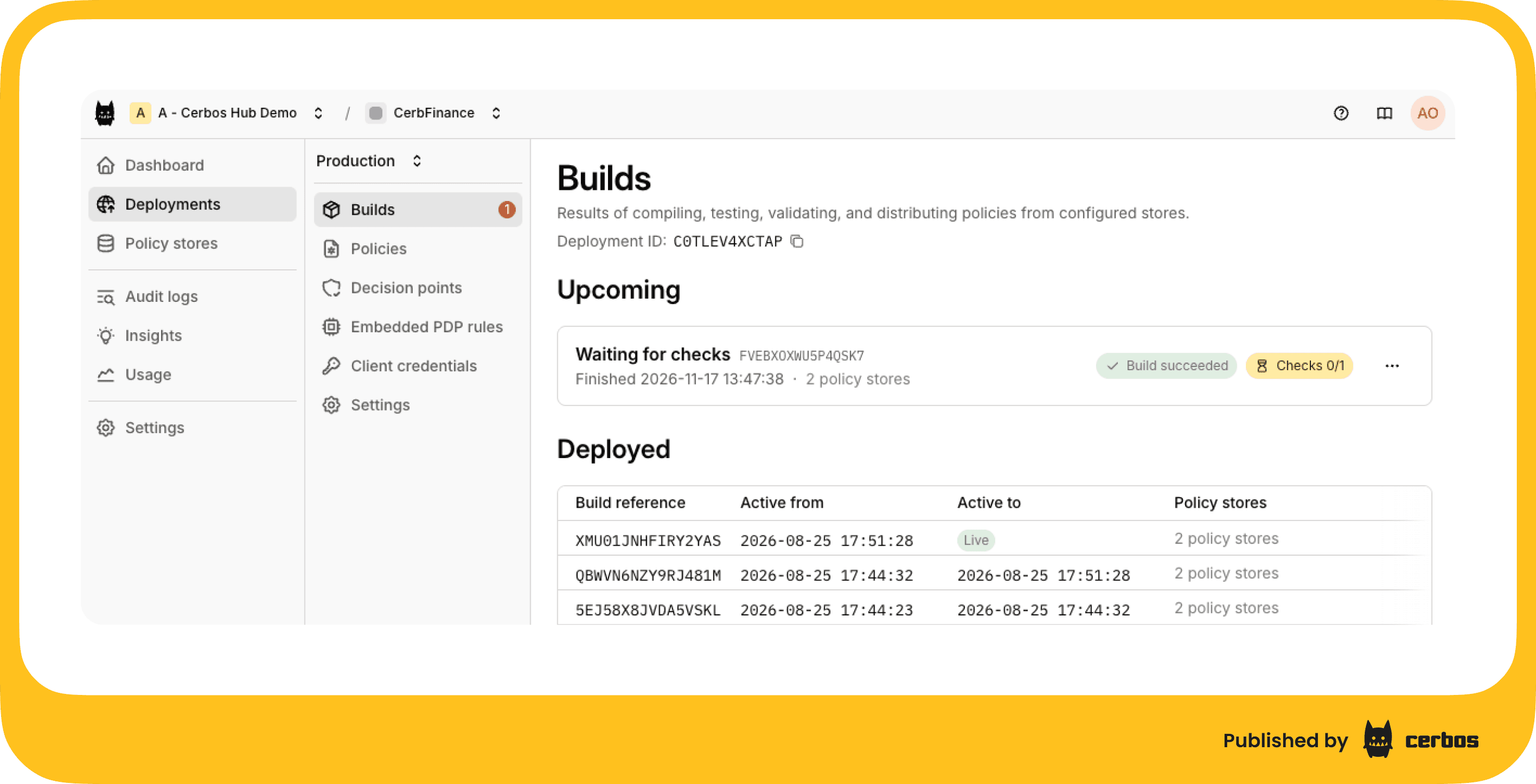
When a build is waiting, the workspace deployment list shows that the deployment has a version waiting, and the build sits under Upcoming versions on the Builds tab with the status of its check.
The build details page has a Deployment checks panel that shows the check, how many approvals the build has, and who approved and when. Choosing Approve adds yours. When the last required approval is recorded, the build goes live on connected PDPs straight away.
Try deployment checks on your production deployment
Deployment checks are available now. Open the deployment your production PDPs connect to, go to Settings and choose Add check. The deployments documentation covers how checks work with freeze, rollback and promote.
Try Cerbos Hub to add an approval step to the policies your production services rely on, or book a call to walk through your release setup with the team.
FAQ
Tagged in