Authorization policy is one of the few parts of an application that the whole business has an opinion on. Product owners decide who should be able to do what. Compliance teams need to confirm that an auditor role can read but never write. Support engineers get asked, on the spot, whether a given customer tier can actually reach a feature. All of those people are asking the same shape of question, and it's a simple one. For this role, on this resource, what actions are allowed?
The trouble is that the answer usually lives in policy files. A resource might have a dozen rules, a few derived roles, and conditions layered on top. Reading that fluently takes someone who works with policies every day. Everyone else ends up either trusting the engineer's summary or opening a ticket. Neither is great when the question is about who can touch sensitive data.
So we built a view in Cerbos Hub that answers the question in the form people actually ask it.
A permissions grid, not a pile of policy rules
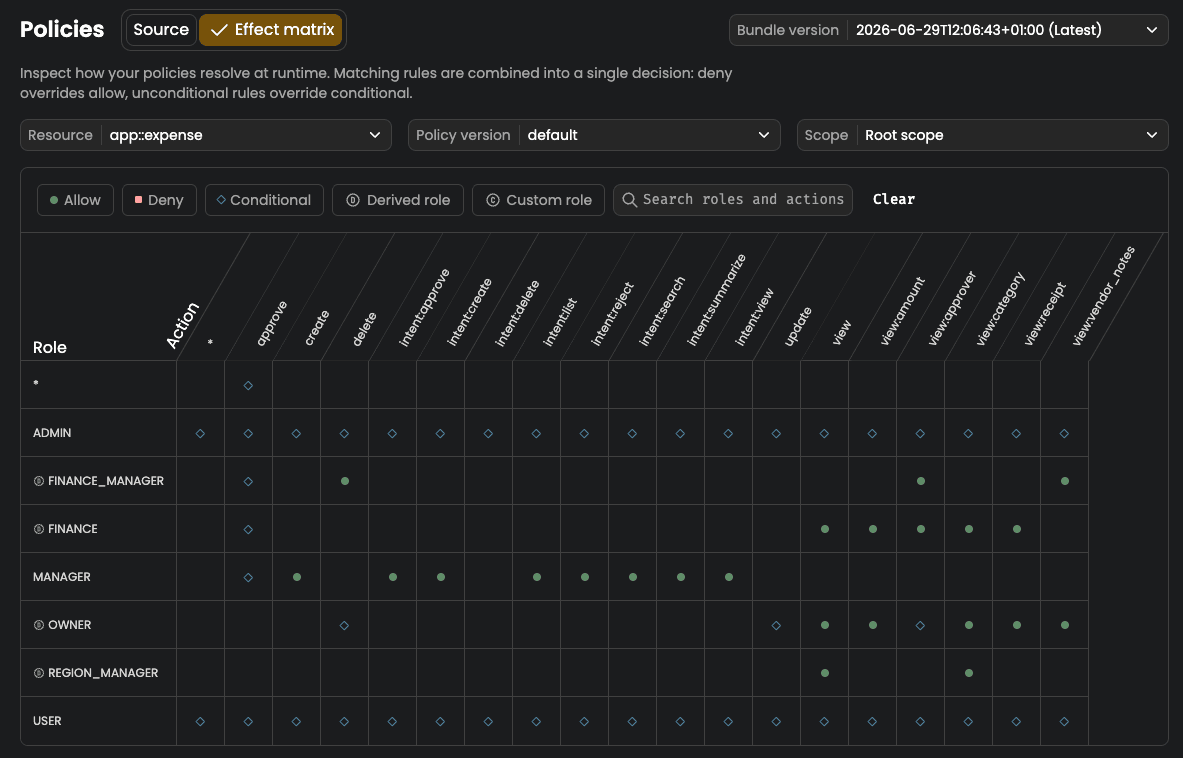
On the Policies tab of a deployment there's now a toggle between Source and Effect matrix. Source is what you'd expect, the policy files as they were compiled into the bundle. The effect matrix takes the same compiled policy and lays it out as a grid. Roles down one axis, actions across the other, and every cell tells you the outcome for that combination. Allowed, denied, or conditional.
That small reframe changes who can read the policy.
A product manager doesn't need to know how rules are structured to scan a row and see exactly what an editor can do. A compliance reviewer can look down the delete column and confirm that only the roles that should have it, have it.
The policy stops being something you take on trust and becomes something you can read at a glance, which is roughly the goal we had when we wrote about mapping business requirements to authorization policy in the first place.
The conditional cell that says "it depends"
Most real policies aren't a clean yes or no. An owner can edit a document, but only inside their own tenant. A reviewer can approve a claim, but only under a certain value. That conditional logic is where ABAC earns its keep, and it's also where a flat permissions table would normally fall down, because the honest answer to "can this role do this" is "it depends on the request".
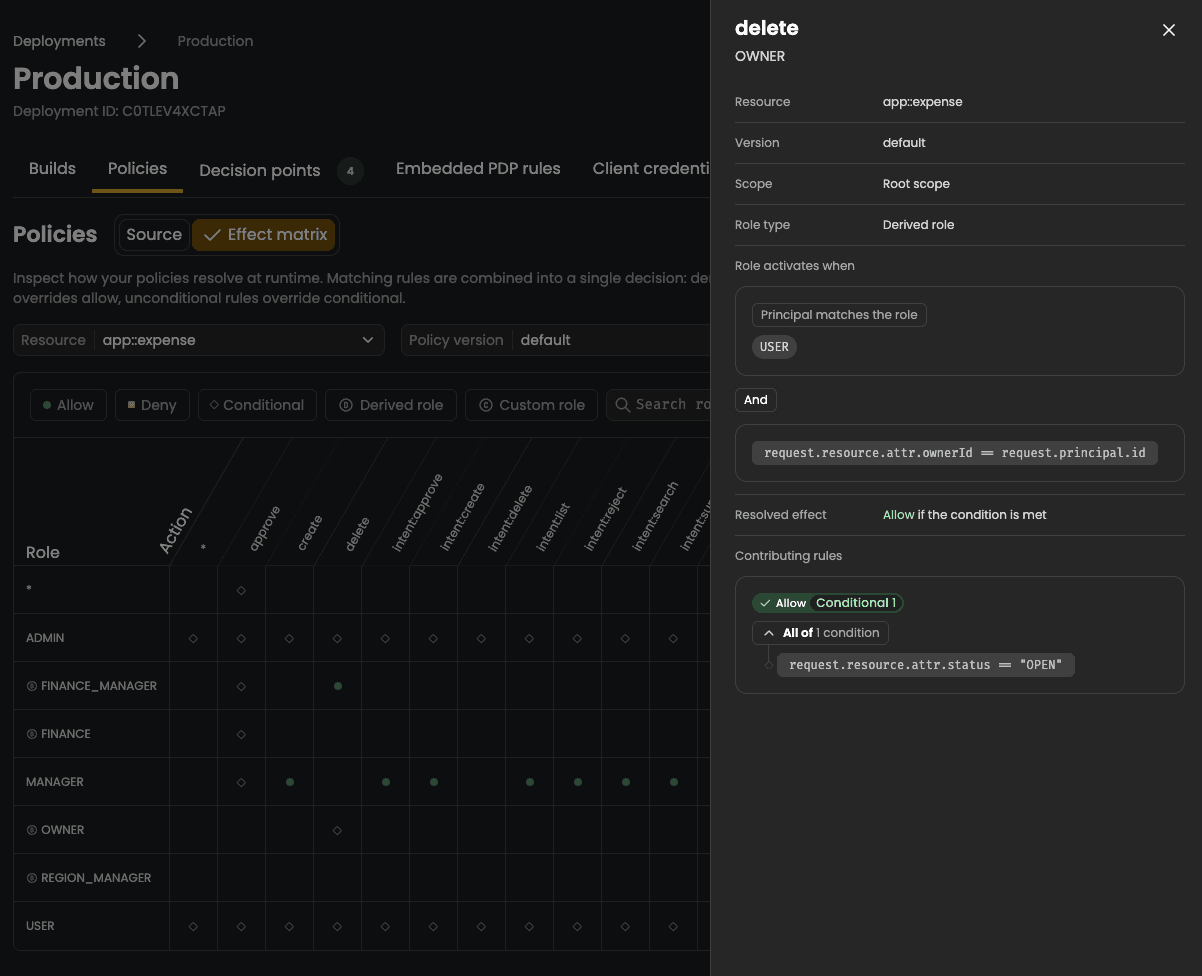
The matrix doesn't paper over that. A cell whose outcome depends on a condition is marked as conditional rather than forced into an allow or a deny. Select it and you drill into the rules behind it, including the condition itself, so you can see precisely what has to be true at request time for access to be granted.
The business reader gets the at-a-glance answer, and the person who needs the detail gets the detail, without switching back to reading raw files.
When a wildcard rule quietly widens access
There's one more thing the grid surfaces that's easy to miss in source. Wildcards. A rule written against * or a pattern like documents:* quietly widens what a more specific cell allows, and that breadth is exactly the kind of thing you want to catch in review rather than in production.
The matrix flags the cells a wildcard rule reaches into, so a broad grant shows up as a broad grant instead of hiding inside a pattern. It's an indication of which rules match a cell, not a full evaluation, but it's enough to make an over-permissive rule obvious.
Why a policy matrix matters beyond the demo
Authorization tends to drift. A role picks up an action for a one-off launch, a wildcard gets added to unblock a release, and six months later nobody is quite sure what the policy actually grants. The usual answer is an audit log review after the fact.
The matrix gives you a way to look at the current state of a deployment and check that what's allowed still matches what you intended, in a format you can put in front of someone who doesn't write policy.
That's the point of moving authorization out of application code and into a shared policy layer. Once the rules live in one place, you can build views on top of them that serve more than just the engineers who wrote them. The effect matrix is one of those views, and it's live now for any deployment in Cerbos Hub.
Try Cerbos Hub to see the effect matrix against your own policies, or book a call to walk through it with the team.