Employees and accounts quietly accumulate access over time, far beyond what they actually need. This “privilege creep” creates ticking time bombs that can sit dormant for years before becoming a breach, an insider threat, or an audit failure waiting to happen. In this post, we break down how excessive access becomes invisible risk, and how to fix it through least privilege, routine cleanup, and dynamic access controls.
This article is part of a series drawn from a candid conversation between Aram Andreasyan, Head of Solutions at Cerbos, and Giao Nguyen, IAM advisor at 1Kosmos. Giao brings decades of experience working on the front lines of identity and governance. Together, they explored what’s broken in the way organizations manage access, and what security leaders can do to take back control.
What follows is a focused, actionable summary of their discussion, centered here on one of the most persistent governance problems in enterprise security: entitlement drift and the compounding risk of stale access.
Check out our first post in this series, where we tackle IAM sprawl, visibility blind spots, and the operational chaos that hides in plain sight. As well as the final post, where we break down how to implement real-world, risk-aware access controls that move beyond check-the-box Zero Trust.
The quiet accumulation of excess privileges
Not all threats come from sophisticated hackers or zero-day exploits. Some of the scariest security risks are mundane and hidden in plain sight. Case in point: privilege creep - the gradual accumulation of access rights beyond what a user actually requires. In many organizations, if someone has been around five years, chances are they’ve amassed a heap of permissions simply by accretion: a database role from that project two years ago, some leftover admin rights from a previous job title, access to systems that no one ever removed when responsibilities changed.
Over time, these privileges pile up. One day you realize Bob in Marketing somehow is still an “Admin” on the old finance system, because he helped out with a sales ops project in 2021, or a service account running nightly jobs has full database write access when it only ever reads one table. Small exceptions and one-off grants compound into major exposures. As Aram Andreasyan dryly notes, the biggest IAM risks are often not exotic at all - “they’re boring, they’re everywhere, and they hide in plain sight.”
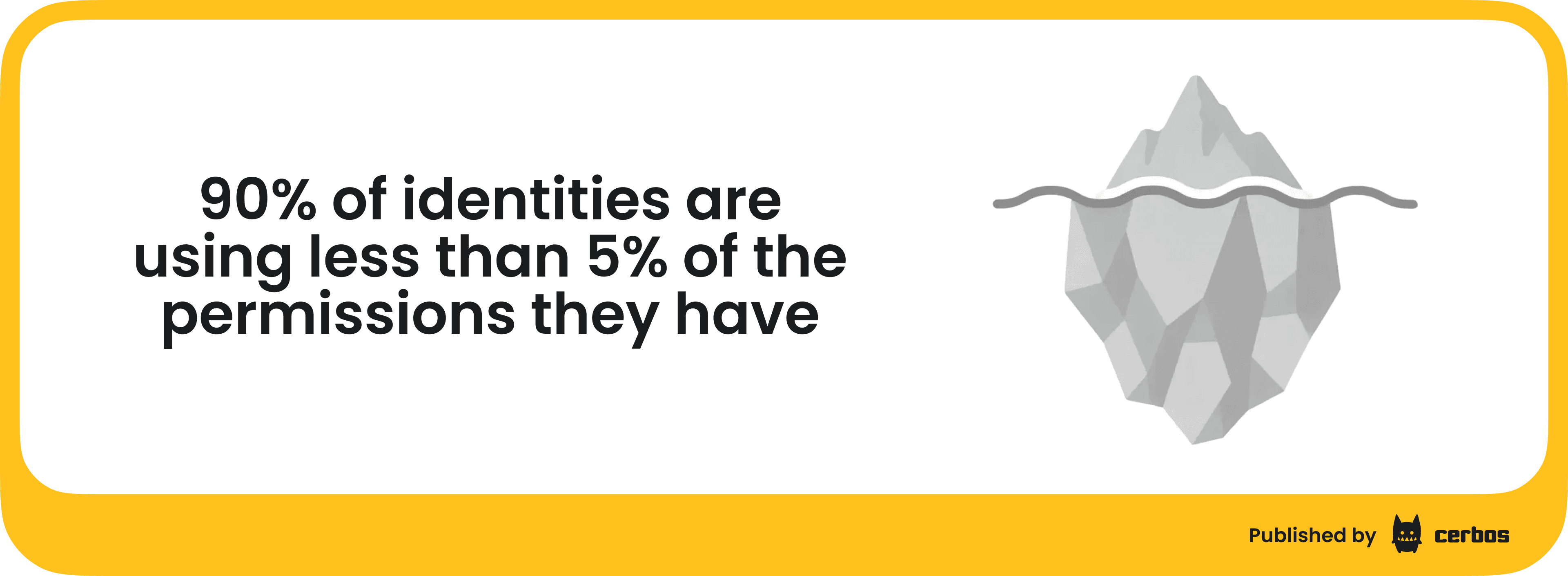
How bad is the problem? Studies have found over 90% of identities are using less than 5% of the permissions they have. In other words, the vast majority of granted privileges are unnecessary at any given time - a huge security inefficiency. If an attacker or malicious insider gets hold of that account, they suddenly have a buffet of options.
Importantly, privilege creep affects both human users and non-human accounts. Employees accumulate roles as they move and get involved in new projects. Meanwhile, service accounts, scripts, and API tokens often start life with broad permissions (for convenience) and rarely get tightened later. Without intervention, access rarely self-reduces. It only ever expands.
Why does privilege creep happen?
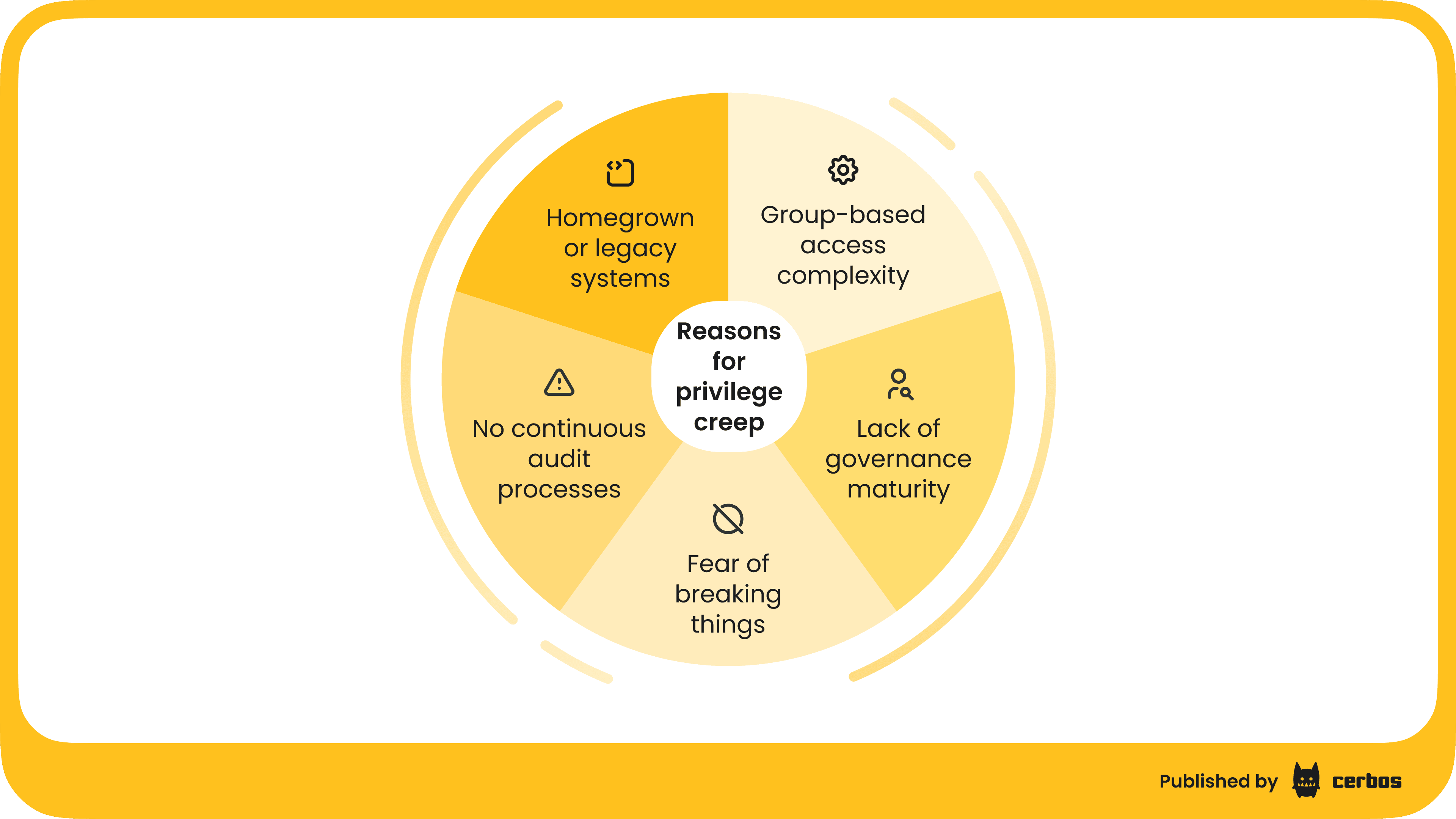
If least privilege is a well-known best practice, why do organizations struggle so much to keep access tightly scoped? Giao Nguyen, who has seen many IAM programs up close, points to a mix of factors:
Lack of governance maturity
Organizations at a lower IAM maturity often lack processes to regularly review and certify access. If there’s no rule like “remove Project X access when the project ends,” it simply doesn’t happen. In immature setups, once access is granted, it tends to live forever unless someone actively revokes it - which few do without prompting.
Group-based access complexity
Many companies grant access via group membership (e.g. Active Directory groups or SSO roles). Over years, they accumulate thousands of groups, often with cryptic names. No one remembers exactly what each group provides. This breeds caution: “If we delete or change this group, what might break?” - often, nobody is sure. That fear of breaking something leads to a “better not touch it” mentality. So old groups, and their privileges, linger long after their original purpose evaporated.
Homegrown or legacy systems
Some companies have custom-built access databases or hard-coded permission schemes in legacy apps. These systems might lack modern admin interfaces or documentation = “black boxes”. As staff turns over, knowledge of how to safely modify or clean them up is lost. The path of least resistance becomes leaving stale entries in place, rather than risk disrupting a fragile legacy system. Technical debt in IAM thus translates to piles of outdated accounts and entitlements.
No continuous audit processes
If access reviews are done at all, they’re often annual checkbox exercises where managers are asked to certify their team’s access. Many managers rubber-stamp because it’s cumbersome to really check each permission. If someone is over-provisioned, the manager might not even realize it, or might hesitate to remove access that “has been there for years - maybe they need it, who knows.” In between these infrequent reviews, people change jobs or leave, and no one is watching. Traditional identity governance tools that rely on static roles and periodic reviews inherently leave gaps between cycles.
Fear of breaking things
Perhaps the biggest factor is simple human psychology. Revoking access feels riskier than granting it. When you grant access, the upside is the user can do their job, immediate problem solved. The downside (security risk) is abstract and in the future. Conversely, when you revoke access, the upside (reducing risk) is invisible, but the downside (you might break a business process or anger a user who loses something they need) is immediate and concrete. So, people tend to let “sleeping privileges lie.” The unspoken policy becomes don’t rock the boat. Over the years, this attitude results in layer upon layer of unnecessary permissions quietly retained “just in case.”
These issues are pervasive. Organizations acknowledge users have more privileges than required for their roles. It’s not usually because anyone wants to over-provision, it just happens by default if you aren’t actively combatting it.
The risks lurking in stale access
Some of the most damaging breaches and insider incidents stem from unused or excessive access that nobody thought to remove. A few scenarios:
Insider abuse
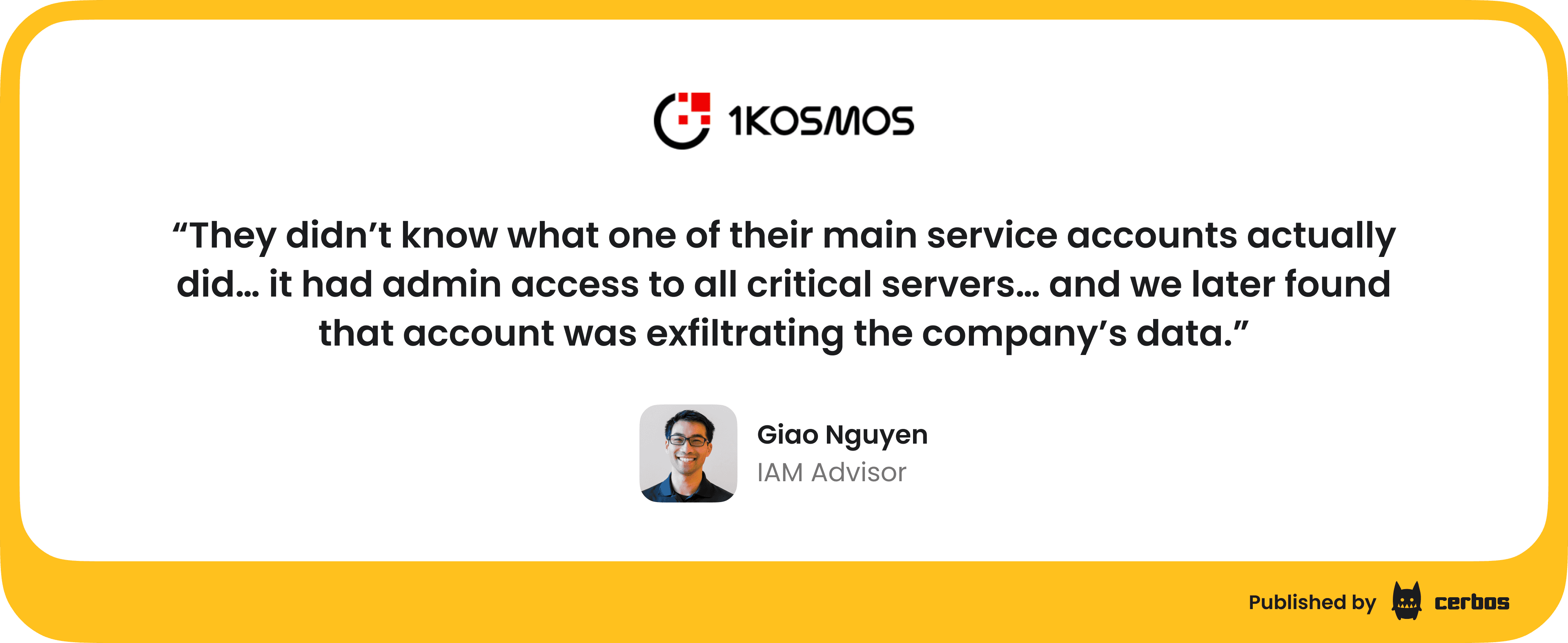
Consider a disgruntled IT administrator who realizes he still has access to a sensitive database from a past project. If he decides to misuse it, that standing access is an open door. Giao shared a real incident from his consulting: A company had a service account with an innocuous name (something like “DC_sync”) that no one fully understood - they assumed it was needed for some routine domain synchronization. It actually had domain admin privileges across all critical servers. One long-time admin was using this account. When a leadership change upset him, he quietly leveraged this over-privileged account to exfiltrate massive amounts of company data, selling it before he left. Because the account had such broad rights and wasn’t monitored, the theft went on until an audit finally caught unusual activity - by then, the damage was done. This case hinged entirely on excessive privileges granted years prior and never reined in.
Dormant accounts hijacked
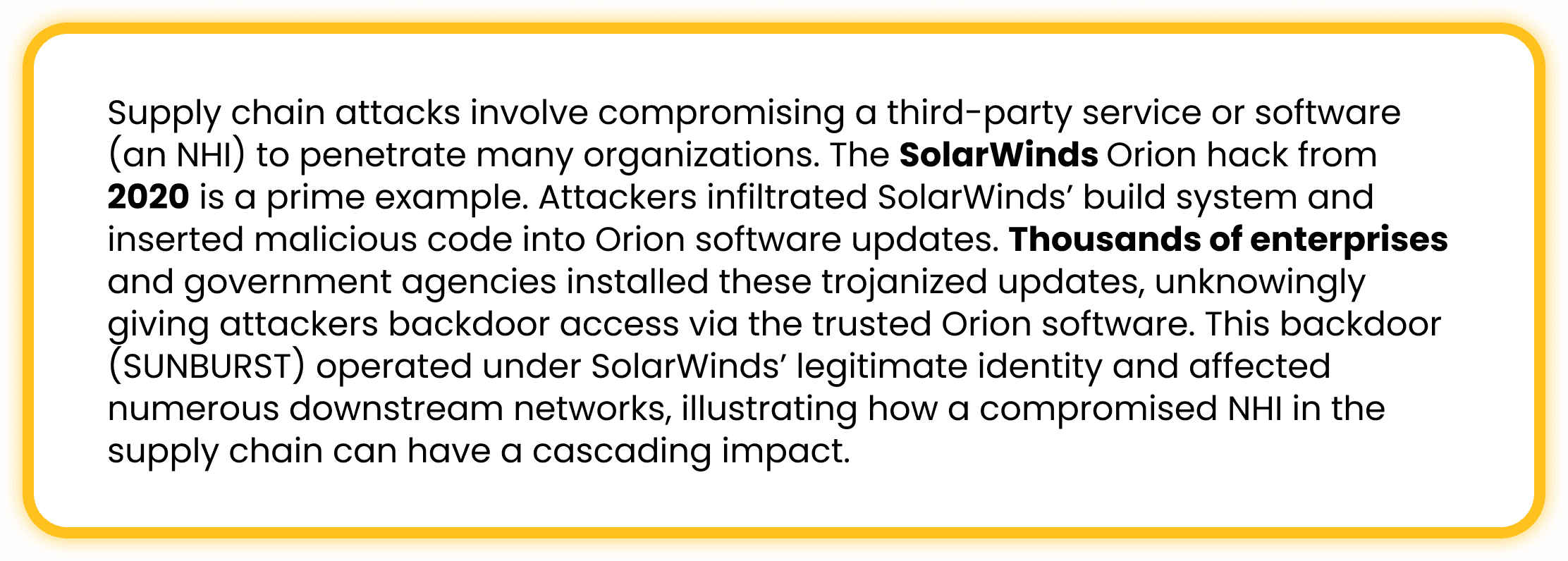
Attackers, whether external or internal, love to find forgotten accounts. Why burn a zero-day exploit if you can simply log in with valid, but abandoned, credentials? The infamous SolarWinds breach and other attacks showed how intruders seek out dormant or unprotected accounts once they penetrate a network. For example, a former employee’s cloud account that wasn’t deactivated, or a test service account with a default password – these can be used to escalate privileges and move laterally almost undetected. Because the account is legitimate (in that it exists in the system), it may not trigger alarms until it’s too late. Over-provisioned accounts act like stealth backdoors.
Accidental Misuse / Human Error
Not every incident is malicious. Sometimes employees inadvertently misuse access they forgot they had. Imagine a user who years ago was in the finance team and still has rights to download large data exports. Now in a new role, they run a report out of curiosity or by mistake, pulling down sensitive data they shouldn’t. Or they leave a personal script running that pulls data using an old credential. Without ill intent, excess access can lead to data leakage or policy violations simply because it was available. Principle of least privilege exists to prevent even well-meaning folks from doing damage.
Compliance violations
Regulations often mandate that users only have appropriate access. If Jane in Customer Service somehow has access to patient health info or trade secret data that her role doesn’t need, that’s a compliance issue (HIPAA, GDPR, etc.). During an audit or breach investigation, such findings can result in penalties. Privilege creep makes it likely that, over time, people accumulate cross-departmental access that violates segregation of duties or data privacy rules – without anyone noticing until an external review.
In short, “standing” privileges that linger are low-hanging fruit for exploitation. A hacker who gets hold of one user account will immediately enumerate what else that account can do. The more it can do, the more damage they can cause. Verizon’s data breach reports frequently highlight that many breaches involve misuse of privileged accounts or stolen credentials. One report noted that many breaches could be mitigated by reducing privileged access and implementing least privilege controls. It’s easy to see why - take away the excess, and you shrink the blast radius of any account compromise.
Cleaning house: Strategies to reign in privileges
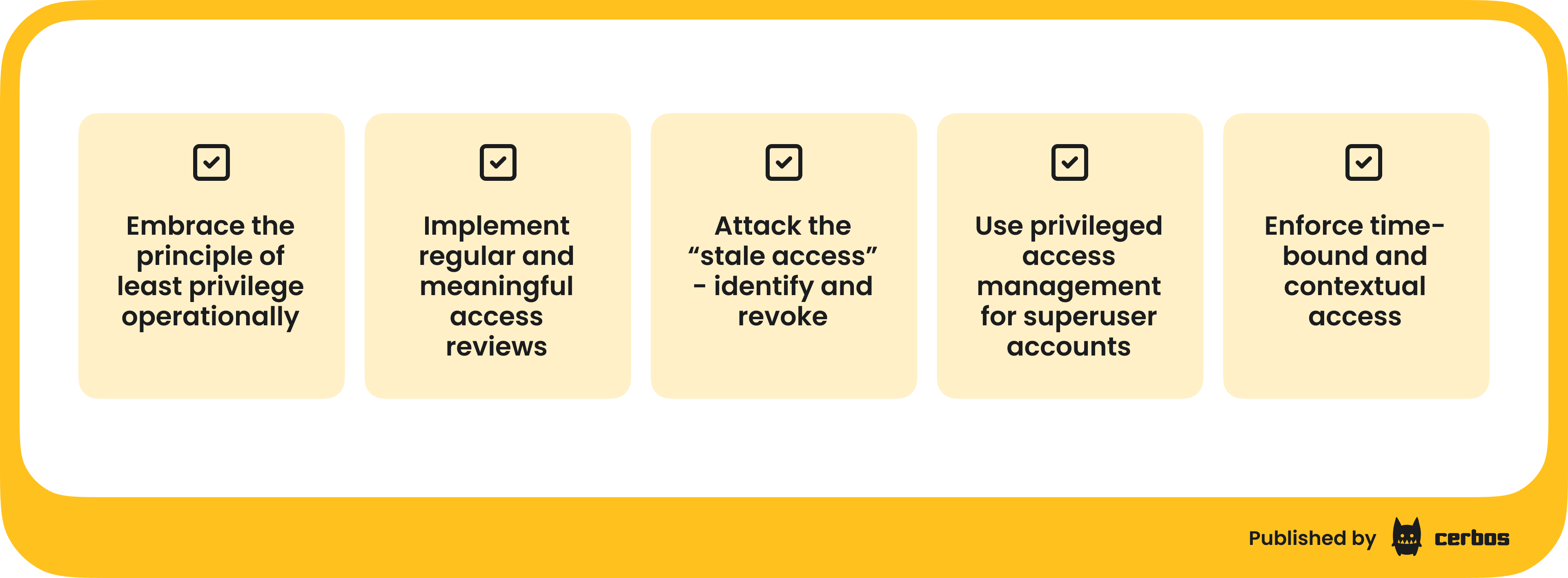
Now let’s talk about how we defuse the privilege creep “time bomb” before it goes off. The answer lies in a combination of process discipline and smart tooling. Here are key strategies:
1. Embrace the principle of least privilege operationally
Most of us say we follow least privilege - only give people the access they truly need - but practicing it requires rigor. Start by making PoLP a visible, enforced policy: for any new access request, the default question should be “Does this person absolutely need this?” and if so, “What is the most limited scope or role that fulfills the need?” For example, if an engineer needs to query a database, do they need full read/write or just read on specific tables? Define roles granularly enough to avoid always adding people to broad “god” roles. It’s better to manage 50 narrowly-scoped roles than to hand everyone the same broad role because it’s easier.
One concrete move is to implement role-based access control if not already in place, but with attention to avoiding role explosion. Design roles aligned to job functions (e.g. a “Sales Rep” role with specific permissions) and ensure role changes happen when someone’s job changes. If Alice moves from Sales to Finance, there must be a process to remove her from the Sales Rep role when adding her to Finance. Too often, she ends up in both, because removal doesn’t happen. A strong RBAC foundation, regularly maintained, prevents a lot of creep. It’s telling that in many organizations, role management itself has become a beast, but investing in cleaning up and restructuring roles can pay off immensely in reducing excess access.
Where roles are too static or coarse, consider attribute-based access control for more fine-grained enforcement. ABAC allows you to set policies based on user attributes and context (e.g. department = Finance, project = XYZ) rather than fixed roles. This can automatically adapt permissions when attributes change, preventing the buildup of “role bloat.” For instance, an ABAC rule could automatically restrict a user’s access if their project assignment attribute is empty or if they’ve changed departments, without waiting for a manual role change. Dynamic authorization solutions like Cerbos enable this kind of adaptability easily - you externalize the policy and the system evaluates if a user still meets the criteria in real time.
2. Implement regular and meaningful access reviews
If you don’t already do periodic user access reviews, start now. If you do, increase their frequency and depth. The traditional model is an annual review where managers get a long list of who has access to their applications and must certify it. To make this effective rather than perfunctory, provide managers with context and encourage cleanup: flag accounts that haven’t been used in 90 days, highlight users who no longer report to them, etc. Modern IGA tools can assist by highlighting anomalies (e.g. “these 5 users haven’t logged into the HR system in over a year”) so reviewers can confidently remove them.
Better yet, move toward continuous access reviews on a rolling basis. For example, review 1/12 of your user base each month instead of 100% once a year. This makes the task less overwhelming and more likely to be done thoughtfully. Some organizations now integrate access review into offboarding and role change processes: whenever someone transfers or a project ends, that triggers an immediate review of their access. The point is to catch privilege creep early - don’t let five years of access build-up go unchecked until a crisis forces a cleanup.
3. Attack the “stale access” - Identify and revoke
Make use of analytics to find unused access and then aggressively trim it. For instance, use your SIEM or identity analytics to generate reports like: “Which accounts have not been used to log in for over 60 days?” or “Which permissions have not been exercised in the last 6 months by each user?” These are prime candidates to remove. As noted, studies show a huge chunk of permissions are never used - removing them should not impact business operations if done carefully. Cloud access management tools and CIEM solutions are particularly good at this for cloud roles, often showing percentage of permission usage per IAM role or key.
When revoking, do it in a controlled way, perhaps in stages or with quick rollback possible, but do it. For example, you might disable an account or permission for 30 days but not delete it, to see if anyone screams. If no impact, you then fully remove. This “disable then delete” approach can alleviate the fear of breaking something. It gives a safety net: if a critical process fails, you can re-enable quickly. But more often than not, no one will notice a well-chosen removal of dormant access.
Importantly, prioritize high-risk privileges for cleanup. Focus on admin accounts, accounts with broad domain or cloud privileges, and service accounts: these have the biggest potential impact if misused. For service accounts, establish ownership (find someone responsible for each) and audit what they’re actually doing. If a service account hasn’t been used in months or is doing tasks far below the level of access it has, cut its rights or remove it entirely.
4. Use privileged access management for superuser accounts
One best practice to combat privilege creep, specifically for admin-level access, is to avoid leaving powerful credentials lying around at all. Instead, use a Privileged Access Management vault or just-in-time access system. For example, rather than every IT admin having a standing domain admin credential, you use a PAM solution that issues an ephemeral admin credential when needed and logs its use. This way, you don’t have dozens of people permanently in the “Domain Admins” group, which often never gets pruned.
PAM solutions can also automate password rotations and enforce check-in/checkout workflows for shared accounts so that usage is accountable. If someone needs to use that old “DC_sync” account, for instance, it should only be accessible via the PAM system with MFA and auditing - not via directly knowing the password. In Giao’s story, had the company implemented a PAM and forced the disgruntled admin to go through it, they likely would have noticed unusual data exfiltration activity or could have easily disabled access when his behavior changed.
Even if you can’t deploy a full enterprise PAM, consider at least vaulting the credentials of the most critical service accounts and enabling MFA or approval workflows for their use. The goal is to eliminate “always on” high privilege credentials.
5. Enforce time-bound and contextual access: Zero Standing Privileges
A modern approach gaining traction is the concept of Zero Standing Privilege (ZSP) - no user or account has persistent privileged access by default; it must be requested and granted just-in-time, and it expires. Implementing ZSP can feel like a big leap, but you can start small. For example, require that production server access for developers is time-bound: they request access via an ITSM ticket or privilege elevation tool, get it for a few hours, then it’s removed automatically. Similarly, make higher-risk roles temporary - after a project’s scheduled end date, those roles automatically expire. Policy-as-code tools can enforce these rules (e.g., “If project status = completed, then revoke project roles”). This ensures the cleanup happens as a matter of course, not as an afterthought.
Adaptive, context-based authorization is also key. For instance, if an account is only meant to be used by a script weekly, flag or block any interactive login using that account at an odd time. If a user’s normal access hours are weekdays, an admin logging in at midnight on Saturday with a powerful account could trigger an alert or require additional approval. Contextual controls shrink the window of misuse: even if an account has broad rights, it can’t be wielded freely at any time or from any location.
The overarching idea is to limit privileges in time and scope. If you remove the notion of “permanent” access for anything sensitive, privilege creep has no chance to set in, because everything automatically prunes itself. This approach aligns with Zero Trust principles (verify every action, give nothing by default) and greatly reduces the accumulation of dormant rights.
6. Track and reward progress
Lastly, treat reducing privilege creep as an ongoing program, not a one-time project. Track metrics like: number of privileged accounts over time, number of roles or groups reduced, percentage of users with administrative access, etc. Share successes - “We removed 2000 unnecessary permissions last quarter” - to build momentum. Also, get buy-in from leadership by translating reduced privileges into reduced risk: for example, “By cutting down these accounts, we lowered our attack surface; this could directly prevent certain breach scenarios.” When leadership understands this is not just housekeeping but critical risk reduction, you’re more likely to get support and resources for continuous cleanup.
Consider incorporating least privilege goals into IT and security teams’ KPIs. For instance, make “no high-risk findings in access reviews” or “100% of accounts removed within 24 hours of employee departure” a performance goal. This incentivizes teams to prioritize it. Some organizations even run internal campaigns or competitions for teams to clean up access - gamifying the reduction of privileges. While it might sound silly, it raises awareness that security is everyone’s responsibility, and least privilege is a positive, proactive effort, not just removal of access.
A real-world example: Cleaning up access before it cleans you out
To drive home the importance, let’s revisit the earlier incident Giao described and imagine its consequences. An old service account with far more privileges than necessary was used to steal data. Why did that happen? Because it was there. It had been set up long ago, probably to facilitate some IT tasks without hassle, and never revisited. When an employee went rogue, that account was a golden ticket - no one was watching it, yet it could enter any system.
The company in question suffered significant losses (both financial and reputational) from that insider breach. Now picture if that account had been tightened or retired once its primary user changed roles or once a PAM system was in place. The story would have ended differently.
This is why we say “clean up access before it cleans you out.” It only takes one highly privileged, unmonitored account to cause catastrophic damage. Privilege creep, if left unchecked, virtually guarantees that such accounts exist in your environment - it’s just a matter of whether someone finds and exploits them.
Another scenario: an attacker phishes an employee and gets their VPN credentials. If that employee has minimal access, the damage is limited - maybe the attacker can see some internal documents. But if that employee has accumulated membership in various sensitive groups over years, the attacker now has keys to much more (perhaps customer data or critical systems). The difference between those outcomes is entirely how much excess privilege the employee had. Breaches often work like water finding the cracks - privilege creep creates a million little cracks that can turn a minor incident into a major breach.
Looking ahead: Adaptive solutions

While basic hygiene and process go a long way, technology is evolving to make privilege management more dynamic. Solutions in Identity Governance and Administration and Cloud Infrastructure Entitlement Management use AI and analytics to continuously right-size permissions. They can learn typical permission usage and suggest revocations for outliers. Dynamic authorization systems can work in tandem, so that even if a user has a permission, contextual policies might block its use if it’s abnormal (e.g., an employee tries to download 1,000 records at 2 AM - technically their role can, but a policy says that’s not allowed without a second factor). These tools are helping organizations move from a static, reactive model to a more responsive one, where permissions adjust in real-time based on risk.
For example, imagine an employee’s role normally allows access to a financial report, but an ABAC policy says: if the user is not in Finance AND the data is classified as Confidential, require manager approval. That way, if someone changed jobs from Finance to Marketing, they might still have the role (if it wasn’t removed yet), but the policy will intervene and prevent misuse - effectively mitigating privilege creep on the fly. This is the kind of safety net that modern dynamic authorization like Cerbos can provide on top of your existing IAM. It’s not an excuse to let roles sprawl, but it reduces risk during the periods of drift.
At the end of the day, tackling privilege creep requires both cleaning up the past and redesigning for the future. Clean up the excess rights already out there, and build future processes so that privileges don’t pile up again. That means baking expiry and review into access grants, and adopting systems that naturally limit exposure (ephemeral creds, just-in-time elevation, etc.).
Turning “time bombs” into no-shows
The metaphor of a “time bomb” is apt - privilege creep issues sit dormant, sometimes for years, and everything seems fine… until suddenly it’s not. A breach, an insider incident, or a failed audit detonates the situation, and everyone asks, “How did we let this happen?” The key is to address those dormant issues now, on your own terms, rather than in panicked response to an incident.
As CISO, you have the ability to lead a preventive strike on privilege creep. Shine a light on unused and excessive permissions and sweep them away systematically. Yes, there may be occasional squeaky wheels when something someone “relied on” is removed. But those are far preferable to the alternative - a malicious actor leveraging invisible privileges that nobody remembered to worry about. It’s often said that attackers take the path of least resistance; privilege creep ensures that there are many easy paths available. We need to shut those paths down.
Let’s remember that least privilege is not about making life harder for users; it’s about making life harder for attackers (and rogue insiders). When done right, the users shouldn’t even notice much difference - they still have the access they need, just not the access they don’t need. It’s an ongoing effort, but each step reduces risk exponentially.
CISO takeaway: Treat privilege creep as the latent threat it is. Inventory and cut excess permissions, implement just-in-time and expiring access, and enforce least privilege by design. By doing so, you remove the ammunition from would-be attackers and disgruntled insiders. The “time bomb” of stale access can be defused safely - but only if you actively seek it out and dismantle it.
Next in our series, we’ll tackle how to put zero trust into practice. We’ve discussed cleaning up existing access and enforcing least privilege; our final post, explores making access decisions adaptive and context-aware - moving from static roles to a true Zero Trust approach.